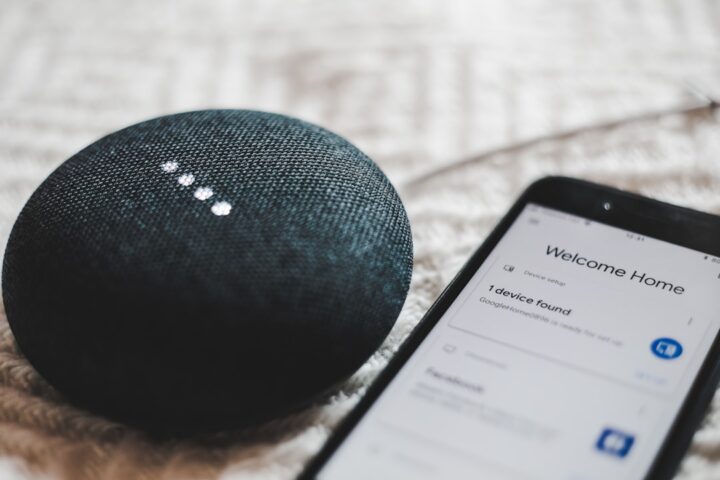
You say “Alexa, dim the lights to half” and Alexa responds “I cannot find any lights named half”. You meant set them to 50%. You re-phrase to “Alexa, set the lights to 50%” and it works. The first phrasing felt natural to you but Alexa parsed it wrong. Voice assistants have idiosyncratic phrasing preferences that you learn by trial and error, but a few patterns help across all three major ecosystems.
The three principles
Voice commands that work reliably tend to follow three patterns:
- Action verb first, target second, modifier third
- Use specific names, not relative descriptions
- Use round numbers and standard units
“Set the kitchen lights to 50%” follows all three. “Make the kitchen kind of dimmer” follows none.
Action verb first
Voice assistants are tuned to parse commands that lead with an action. Start with the verb. Examples:
- Turn on, turn off, toggle
- Set, dim, brighten
- Play, pause, stop
- Lock, unlock
- Open, close
Avoid leading with the target (“the kitchen lights, turn them off”) which is technically valid but harder for the parser.
Use specific names
If you have a device named “Kitchen Lamp”, say “Turn off the kitchen lamp”. If you say “Turn off the lamp”, the parser has to guess which lamp you mean (the kitchen lamp, the bedroom lamp, the living room lamp?). Context cues sometimes help (you might be in a room), but a specific name is always more reliable.
The flip side: if your device names are too long or technical, they are harder to say. “Turn off the smart bulb in the master bedroom corner” is hard. “Turn off the corner lamp” is easier. Rename devices to be voice-friendly.
Use round numbers
“Set to 50%” works better than “set to about half”. “Set the temperature to 72” works better than “warm it up a bit”. Voice assistants parse numbers reliably; they parse subjective descriptions poorly.
For colors, use common color names (red, blue, warm white, cool white). Specific values (color temperature 2700K) work too but are harder to remember.
Room versus accessory
You can target a room (“turn off the kitchen”) or a specific accessory (“turn off the kitchen pendant”). Room commands affect all controllable accessories in that room. Accessory commands affect only the specified one.
If you want a room command but it controls more than you intended (turning off the kitchen also turns off your speaker), exclude specific accessories from “the kitchen” group in your smart home app, or always use accessory-specific commands.
The pronoun trap
“Turn it on” only works when context is clear. After saying “set the lights to red”, saying “make them brighter” often works because the parser knows “them” refers to the lights. But after a long pause or a different command, pronouns become ambiguous and the command fails.
For reliability, repeat the noun rather than using pronouns.
Alexa-specific quirks
Alexa understands a few unusual phrasings:
- “Alexa, party time” can trigger a routine if you named one that
- “Alexa, all off” usually understood as turn off everything
- “Alexa, ask Hue to set scene to relax” routes through the Hue skill explicitly
- “Alexa, turn the lights orange” works on color bulbs
Alexa does not handle “Alexa, can you turn off the kitchen?” well. Drop the polite phrasing.
Google Home-specific quirks
Google Assistant is generally more flexible with natural language than Alexa. It handles:
- “Hey Google, dim the lights” without specifying a percentage (defaults to a moderate dim)
- “Hey Google, change the kitchen color to ocean” with named color presets
- “Hey Google, what is on the calendar?” combined with a smart display showing visual
Google handles “please” and “thank you” gracefully. The parser ignores them and processes the underlying command.
Siri-specific quirks
Siri is the most context-sensitive. It tends to use the location of the HomePod that heard the command:
- “Hey Siri, turn off the lights” from a HomePod in the kitchen turns off kitchen lights
- “Hey Siri, dim 50%” applied to whichever accessory was most recently controlled
- “Hey Siri, set living room scene to evening” requires a scene named exactly “evening”
Siri is stricter about scene and accessory name matching than Alexa or Google. If the name in HomeKit is “Evening Scene”, you need to say exactly that, not just “evening”.
The case for renaming
If you find yourself reformulating commands often, rename your devices and scenes. Match how you naturally describe them. “Master bedroom main light” becomes “bedroom light” or “main bedroom”. The shorter, more natural name is easier to say and easier to parse.
This is a 10-minute investment that pays off every day.
The keyword conflict
Some words conflict with the voice assistant’s built-in commands. “Alexa, turn off the night light” can be parsed as a request for the Alexa-built-in night light feature on Echo Show rather than your accessory named “night light”. Renaming to avoid built-in keyword conflicts helps.
Common conflict words: alarm, timer, news, weather, music, volume, brightness (when used at start of command).
Practice your phrasings
For your most-used commands, settle on a single phrasing that consistently works. Use that phrasing every time. Voice assistants do not improve with use the way trained humans do, but consistency means you do not have to remember which phrasings work for which commands.
For new commands, expect to try 2-3 phrasings before finding one that works reliably. Note the working phrasing and use it.
The phrase glossary worth keeping
Once you find phrasings that work reliably for your most-used commands, write them in a small note that household members can reference. “Alexa, kitchen scene evening” might work where “turn on the evening kitchen lights” does not, and there is no logical reason why; the parser just prefers certain word orders.
Train your household on the working phrasings rather than expecting them to discover them through trial and error. The wider topic of voice-side troubleshooting and what to do when phrasings stop working is in our voice training guide.
The natural-language drift
Voice assistant parsers improve over time as the underlying models update. A phrasing that did not work last year may work fine now. If you stopped using a specific phrasing because it failed, retry it occasionally. Conversely, a phrasing that used to work may fail after a model update; check your most-used commands quarterly. The deeper context of voice-side variability is in our voice confirmation tuning guide.