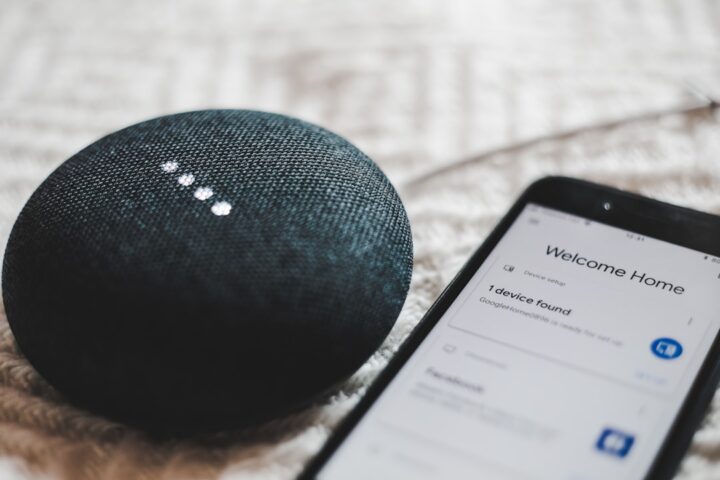
You say “Alexa, play jazz everywhere” or “Hey Google, play on all speakers” or “Hey Siri, play music in the whole house”. The first time you set it up, it works perfectly: every speaker plays in sync, you walk from room to room without interruption. After a few months, the experience degrades. One speaker drops mid-song. Another never joins. A third stays silent until you re-trigger the command. Multi-room sync is one of the more fragile parts of voice ecosystems.
Why this happens
Multi-room playback requires the speakers to maintain a synchronized clock and stream timing. They achieve this through periodic packets over Wi-Fi. When packets are dropped or arrive late, a speaker either drops out (silence) or drifts noticeably (echo effect between rooms).
The fragility is real. The protocols (SonosNet, AirPlay 2, Cast multi-room) are doing genuinely hard distributed-systems work over a network that was not designed for sub-second clock sync. They fail in subtle ways that user-facing apps do not surface clearly.
Diagnose first
Open the voice ecosystem’s app and look at the speaker group:
- Are all speakers in the group online?
- Are they on the same Wi-Fi network (not split across guest and main, not on different VLANs)?
- Is there one speaker that consistently drops? That speaker is the weak link.
If one specific speaker is the consistent failure point, focus on that speaker’s network connectivity. If different speakers drop randomly, the issue is the network as a whole.
Wi-Fi roaming and multi-room
If your speakers connect to different access points in a mesh Wi-Fi network, the handoff between access points can cause sync drops. The speaker briefly becomes unreachable during roaming and falls out of the group.
Solutions:
- Disable speaker roaming if your mesh allows it; keep each speaker bound to a single access point.
- Use Ethernet for speakers in fixed locations. HomePods do not support Ethernet, but Sonos and many Google Home and Alexa speakers do.
- Move access points to give each speaker a single dominant AP.
The 2.4 GHz versus 5 GHz issue
Most modern speakers prefer 5 GHz for less interference. But older speakers (original Echo, first-gen Google Home) are 2.4 GHz only. A multi-room group that mixes 2.4 and 5 GHz speakers depends on both bands being healthy.
If your 2.4 GHz network is congested (lots of IoT devices), the older speakers struggle even when 5 GHz is fine. Reduce 2.4 GHz congestion by moving non-speaker IoT to a separate IoT-only SSID on a different channel.
The Wi-Fi channel width problem
Routers default to 40 or 80 MHz channel widths on 5 GHz for higher throughput. But the wider the channel, the more vulnerable it is to interference. For speaker reliability, 20 MHz on 5 GHz is more reliable than 80 MHz, even if peak speed is lower.
This is a trade-off you make if your speakers are dropping. Lower channel width, accept slightly lower throughput, get more reliable sync.
QoS for speakers
If your router supports QoS, prioritize traffic to and from your speakers. Speakers do not need high bandwidth (about 1 Mbps for music) but they need consistent low latency. QoS protects them from being starved when other devices are streaming video or downloading.
Some routers identify speaker traffic automatically. On others, you specify the speaker MAC addresses and assign them high priority.
Sonos-specific tuning
Sonos systems support SonosNet (a dedicated mesh) or standard Wi-Fi. SonosNet is more reliable for multi-room but requires at least one Sonos device to be hard-wired. If you have a Sonos system with chronic sync issues, enable SonosNet by wiring one device.
AirPlay 2 multi-room
AirPlay 2 is Apple’s multi-room protocol. It works between HomePods, Apple TV, and AirPlay 2 compatible speakers. The protocol assumes a single Bonjour-aware network and degrades on networks with mDNS issues.
If your AirPlay 2 group has issues, check your router’s mDNS support and ensure all speakers are on the same network segment.
Cast group quirks
Google Cast groups have a known quirk where the group can survive a speaker reboot but in a degraded state. When a speaker rejoins the group after offline time, the group sometimes does not include it until you explicitly recreate the group.
To fix: open Google Home, find the speaker group, edit it, remove the affected speaker, save, then edit again and add it back. This resets the group’s state.
The router restart
If multi-room is degrading and you cannot pinpoint the cause, a router restart often clears the issue temporarily. The restart clears the router’s connection tracking table and gives clients a chance to reconnect cleanly.
If router restart helps for a week and then problems return, the underlying issue is congestion or the connection tracking table filling up. Solutions: a more capable router, fewer connected devices, or a separate IoT network to isolate noisy clients.
The temperature-based throttling
Speakers with internal heat sensors throttle their CPU when hot. This can affect their ability to keep up with multi-room sync. Speakers placed in enclosed cabinets, near heating vents, or in direct sun are particularly affected.
Move overheated speakers to better airflow. Some users have improved their multi-room sync simply by moving a speaker out of a closed cabinet.
When to accept the limitation
Multi-room audio is complex. Even with perfect network tuning, occasional sync drops happen. For really critical listening (audiophile setups), wired multi-room (a single source with wired speakers via Sonos Amp or similar) is more reliable than wireless multi-room.
For typical background music in multiple rooms, modern multi-room is usually good enough. If you find yourself fighting it constantly, simplifying (fewer speakers in fewer rooms) is often more enjoyable than perfect coverage.
The Sonos exception for the audiophile household
If multi-room sync matters more than ecosystem flexibility, Sonos still leads. The SonosNet mesh and clock-sync protocol are tighter than what voice ecosystems achieve with their broader-purpose multi-room infrastructure.
The cost is being locked into Sonos hardware, which is more expensive per speaker. For households that listen to music room-to-room daily, the cost is justified. For households that play music occasionally, the voice ecosystem multi-room is adequate even with occasional sync hiccups. The broader landscape including how voice fits in is covered in our casting troubleshooting guide.