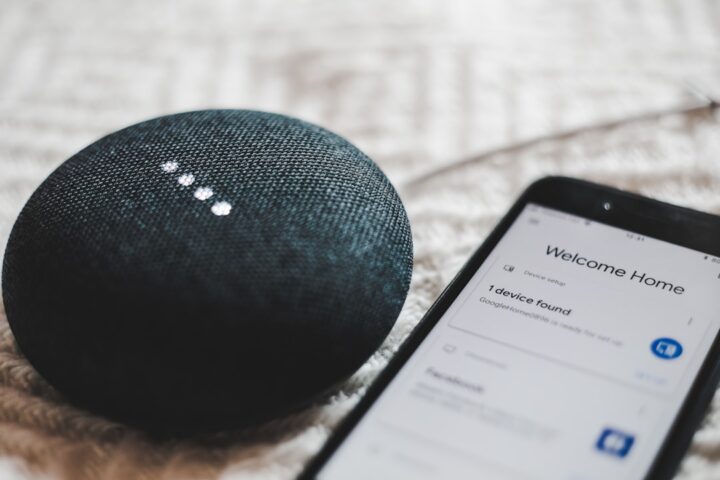
Your voice assistant either talks too much (verbose confirmations for every command) or not enough (silent execution that makes you wonder if it heard you). The default behavior is rarely right for everyone. Each ecosystem has settings to tune confirmation behavior, and the right setting depends on your habits.
The verbose default
By default, voice assistants confirm most actions verbally. “Kitchen lights off”. “Setting thermostat to 72”. “Playing music”. For frequent users, this becomes annoying. You said the command; you do not need a verbose confirmation.
For less frequent or unsure users, the confirmation is reassuring. Without it, you do not know if the command was received.
Alexa Brief Mode
Alexa has a Brief Mode that replaces verbal confirmations with short tones for many actions.
To enable: open the Alexa app, More, Settings, Voice Responses, toggle on Brief Mode. After enabling, Alexa beeps instead of speaking for actions like turning on lights, setting timers, and adjusting thermostat.
The tones are different for different action types, so over time you learn what each one means.
Google Home Quick Phrases
Google calls its equivalent Quick Phrases. Setup: open the Google Home app, your account, Quick Phrases. Enable. Now phrases like “turn off” or “set a timer” do not need the “Hey Google” prefix and Google often executes without verbal confirmation.
This is faster than waiting for Google to wake and respond, and the lack of verbal confirmation matches the brisker interaction.
HomePod chimes versus speech
HomePod’s default response is a soft chime for most accessory actions and speech only when there is meaningful information to convey. There is no Brief Mode toggle; this is the default behavior.
If you want more speech, you cannot easily get it from HomePod. The chime model is built in.
The whisper response
Alexa supports whisper mode. If you whisper a command to Alexa, she responds in a whisper.
To enable: Alexa app, More, Settings, Voice Responses, Whisper Mode on. Useful at night when you do not want to disturb others.
Volume of confirmations
Confirmation volume can be different from media playback volume on Alexa and Google Home.
For Alexa: Alexa app, More, Settings, Device Settings, your device, Audio Settings. Set Notification Volume separately from media volume.
For Google Home: Google Home app, your device, Audio settings. Notification volume is adjustable.
Set notifications low if you do not want them to startle in a quiet house.
Disable all notifications
If you want true silent execution, most ecosystems support a do not disturb mode.
Alexa: “Alexa, turn on Do Not Disturb” silences notifications and timers (but not incoming voice responses to your commands).
Google Home: similar. “Hey Google, turn on Do Not Disturb”.
HomePod: “Hey Siri, turn on Do Not Disturb” works similarly.
Note: DND only silences proactive notifications, not responses to your commands. Your commands still get confirmation tones or speech.
The audio cue when device unreachable
When your voice command targets a device that is offline, the voice assistant gives a longer, often more verbose response: “I cannot reach Kitchen Light”. This is intentional; the assistant wants you to know something is wrong.
If you find this pattern annoying because devices fail often, the right fix is fixing the underlying device reachability rather than silencing the message. The error message is doing its job.
Action-specific confirmation tuning
Some actions you want confirmed, others you do not. You want “door unlocked” confirmation. You do not need “lights off” confirmation.
Brief Mode is binary; you cannot pick which actions get the tone vs the speech. To get finer control, build custom routines that explicitly include or omit a confirmation message.
For critical actions (unlocking, disabling alarm), build a routine that explicitly speaks the confirmation regardless of Brief Mode. For routine actions, accept Brief Mode’s tone.
The audio confirmation issue for hearing impaired users
If a household member is deaf or hard of hearing, audio confirmations are useless. Smart displays (Echo Show, Nest Hub) show visual confirmations.
For audio-only speakers, the workaround is to pair commands with visual feedback elsewhere: a smart bulb that pulses when a routine completes, a phone notification, a wall display.
The wake sound versus confirmation
Some users confuse the wake sound (acknowledgment that the wake word was heard) with the confirmation (response to the command).
Wake sounds:
- Alexa: blue light circle, sometimes a soft beep
- Google Home: multicolored LEDs, sometimes a beep
- HomePod: light on top
Confirmation sounds come after the wake sound, after the command is processed.
If you want to know if the wake word was heard, enable the wake sound. If you want to know if the command was understood, enable the confirmation (or Brief Mode tone).
Cross-ecosystem inconsistency
If you have devices from multiple ecosystems, the confirmation style will differ. Your kitchen Echo beeps, your bedroom Google Home speaks. This is inherent to the ecosystem differences.
For consistency, commit to one ecosystem for primary interactions. Use others sparingly.
The follow-up mode
Alexa has Follow-Up mode that lets you say multiple commands without re-saying “Alexa” between them. After your first command, Alexa waits a few seconds. If you speak again, it interprets as a new command.
Enable in: Alexa app, More, Settings, Device Settings, your device, Follow-Up Mode.
This trades a small chance of false trigger (Alexa thinks something is a command when it is not) for the convenience of chaining commands.
The brief mode for households that have trained the basics
After a few weeks with a voice assistant, the verbose confirmations become noise rather than reassurance. Brief Mode on Alexa and Quick Phrases on Google reduce confirmations to a short tone, which is faster and less intrusive.
Enable these once household members are confident the device is hearing them. For new users still building trust with voice, the verbose confirmations help. The wider context of voice ecosystem polish is in our voice phrasing guide.
The brief-mode test for new household members
When a new household member starts using the smart home, leave Brief Mode off for the first few weeks so they get verbal confirmation and learn what commands work. Once they are confident, switch to Brief Mode. Forcing brief responses on new users tends to make them stop using voice. The wider topic of household-onboarding is in our household profiles guide.