Your routine ran every morning for months. Today it did not run. You did not change anything. The routine is still in the app. The trigger device is still online. The action devices respond when you tap them manually. But the automation that was the foundation of your morning yesterday is silent today.
The first question: what actually changed
Even when you think nothing changed, something usually did. Common silent changes:
- A scheduled firmware update on a hub or device
- A voice ecosystem cloud incident
- Your phone OS auto-updated overnight
- A smart speaker rebooted and lost its routine cache
- An OAuth token expired
- A daylight saving transition occurred
- Someone in your household disabled the routine without telling you
The diagnostic is finding which of these happened.
Check the routine is still enabled
Open the routine. Verify the enable toggle is on. Routines can be disabled accidentally by a swipe or by another household member.
If disabled, enable. Trigger the routine to verify it now works.
Verify the trigger device
If your routine triggers on a device event (motion, door open, etc), verify the device is online and reporting correctly.
Open the device in the app. Is its status current? When was the last reported event? If the device has been silent since yesterday, the device is the issue, not the routine.
Power-cycle the device. Restart its hub. If the device starts reporting again, your routine should resume.
Check for firmware updates
Check your hub and the trigger device for recent firmware updates. If an update happened overnight, the device or hub may have temporary issues from the update.
Sometimes firmware updates introduce subtle behavior changes that break existing automations. Check the release notes if you can find them.
Check the voice ecosystem cloud
If your routine runs through Alexa, Google Home, or HomeKit, check the ecosystem’s status page. Major incidents are not always visible to individual users immediately.
- Alexa: status.amazon.com
- Google Home: status.cloud.google.com
- Apple Home: apple.com/support/systemstatus
If the cloud is having issues, your routine may resume when the incident clears.
Reboot the hub or speaker
For voice ecosystems, the smart speakers cache routines locally. If the cache got corrupted, the speaker may not fire routines correctly.
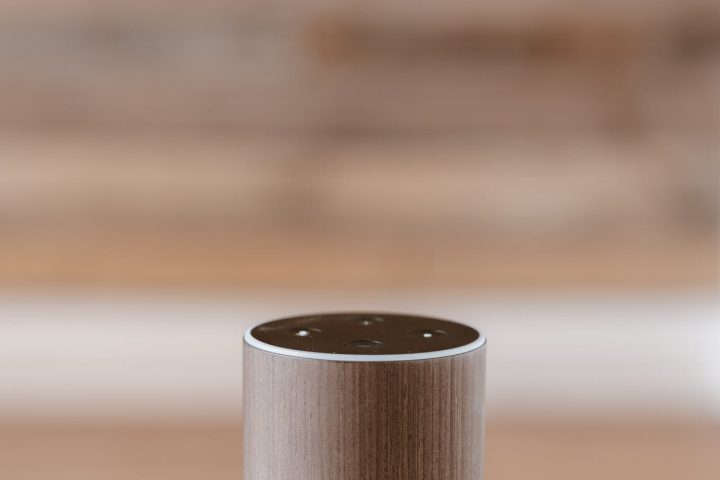
Reboot the speaker (Echo, Google Home, HomePod) by unplugging for 30 seconds. After reboot, it pulls fresh routine data from the cloud.
For hub-based routines, reboot the hub similarly.
Check the trigger conditions
If the trigger has conditions (only on weekdays, only after sunset, only if someone is home), verify each condition is still being met.
Common gotchas:
- Your presence detection broke, so “only if I am home” is always false
- Your geofence shifted, so you are technically outside the home boundary
- DST changed the effective time of “after sunset”
Re-enter the routine
Sometimes the routine just needs a refresh. Open the routine, edit it (even just open and close it), save. This pushes the latest version to the cloud and to all your devices.
This often fixes routines that have become stuck in a corrupted state.
Check OAuth integration health
If your routine depends on a third-party integration (Ring, Nest, IFTTT), the OAuth token may have expired. Check the integration’s status in the relevant app and re-authorize if needed.
Look at the trigger event log
If your hub or platform shows event logs, check whether the trigger event actually fired. If the event fired and the routine did not run, the routine is the issue. If the event did not fire, the trigger device is the issue.
Hubitat, Home Assistant, SmartThings (IDE) all show event logs. Alexa, Google, and HomeKit do not.
Manual trigger as a test
Most automation systems let you manually run a routine. Trigger it manually. Does it execute correctly?
If manual trigger works, the routine itself is fine; the automatic trigger is broken. Focus on the trigger device or trigger condition.
If manual trigger does not work, the routine itself is broken. One of its actions is failing. Test each action individually.
The just-in-time discovery
Sometimes a routine fails because its target device was renamed or moved to a different room, and the routine references the old name. The action silently fails.
Verify each action’s target device matches the current device name and room.
The schedule timing
For time-based routines, verify the time you expected. Check your hub’s time zone. If you traveled and brought your phone back, the time zone may have shifted briefly.
For sunset routines, the sunset time changes every day. Check what time sunset is today, not last week.
The first-fail isolation
If you cannot identify what changed, build a minimal version of the routine: just the trigger, with an action that sends you a notification. If the notification arrives at the expected time, the trigger works. The original routine’s actions are the issue.
This bisection isolates whether the trigger or the actions are at fault.
When everything looks fine
Sometimes routines start working again after several hours with no user intervention. This usually indicates a transient cloud or sync issue that self-resolved.
If your routine resumed without you doing anything, log the incident date and time. If it happens again, you may have a pattern (always after a Wednesday firmware update window, always after a midnight reboot of your hub) that points to a systemic cause.
The first-pass restart trick
Before any other diagnostic, power-cycle the hub or speaker that owns the routine. About a quarter of “routine stopped working today” reports resolve at this single step because some piece of cloud-side state had become stale.
This is the equivalent of “have you tried turning it off and on again” but for the cloud cache. Try it first because it is cheap and catches a surprising fraction of cases. The deeper diagnostic flow for routines that do not respond to a restart is in our SmartThings Edge guide.
The platform-update correlation
Check whether the routine stopped working coincident with a platform-side update (hub firmware, voice ecosystem release, manufacturer cloud change). Most providers publish release notes. A breakage that aligns with a known update is usually waiting for a hotfix rather than something you can fix on your side. The wider pattern is in our custom skills guide.